How to run oaisim with virtual MME on same machine
Note: This tutorial is only valid for older version of openair-cn (branch v0.3.2-branch)
Please use the DOCS/EPC_User_Guide.pdf (from openair-cn repository, https://gitlab.eurecom.fr/oai/openair-cn.git) for OAI EPC Documentation.
So I will put my own debug logs and some suggestions about the simulation,
We have recently moved from SVN to Gitlab, please use the updated instructions from the link below for downloading the latest code.
The download instructions for the repository are located at Get the Sources.
The build instructions for both the repositories are located at AutoBuild.
1. Configuration
- Config File:
/etc/hosts must contain the fqdn of the MME and HSS (same since both run on the same host):
(assuming the realm is openair4G.eur)
127.0.0.1 localhost
127.0.1.1 calisson.openair4G.eur calisson
2. Building HSS
2.1 configure the HSS:
The HSS database is automatically installed if openair-CN build instructions are followed: AutoBuild
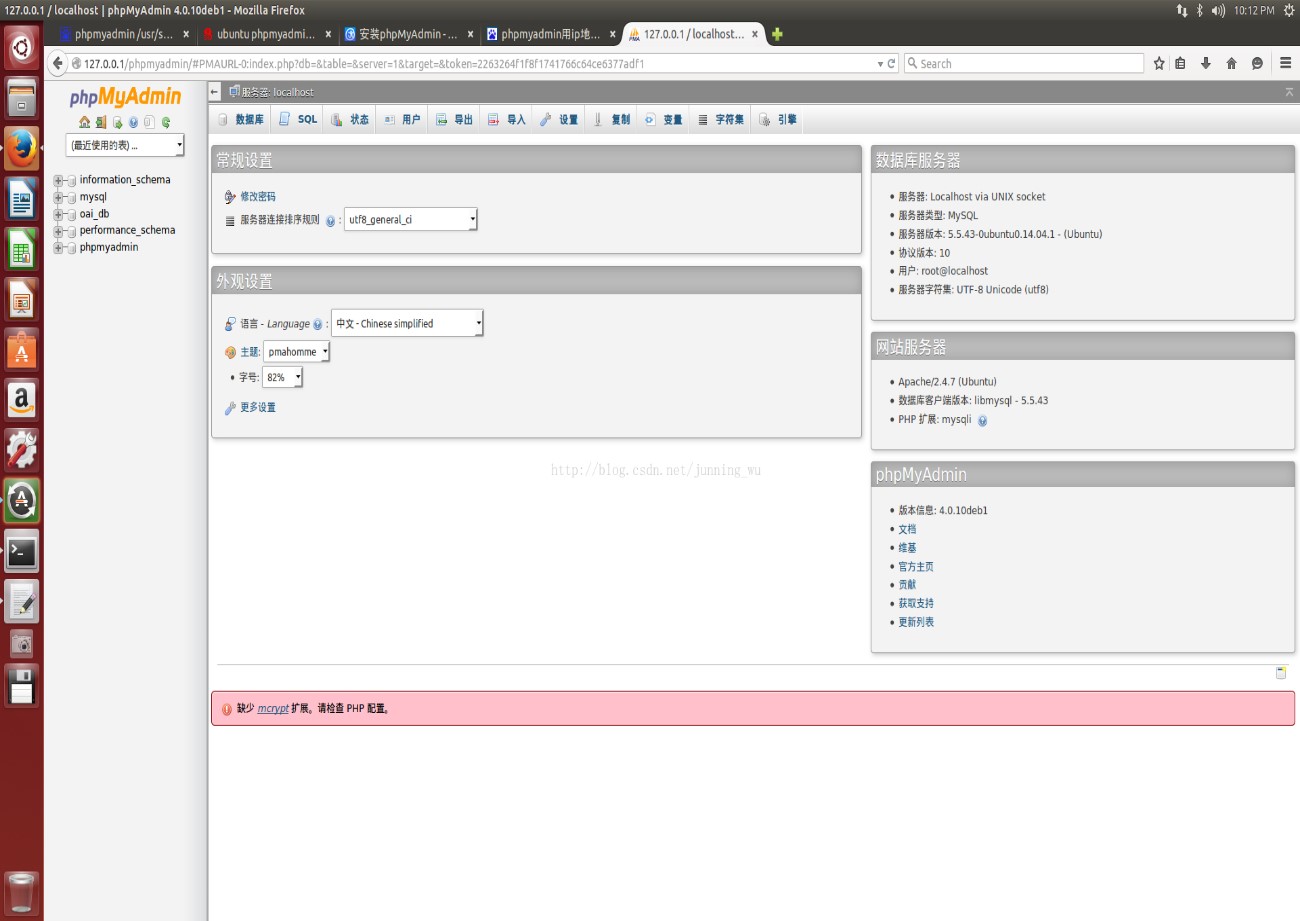
In oai_db (easier for newbies to access HSS database through http://127.0.0.1/phpmyadmin) Login: root, Password: Linux
In table mmeidentity, enter the record corresponding to your MME:
(idmmeidentity, mmehost, mmerealm)
In table pdn, enter the record allowing an IMSI to connect to an APN
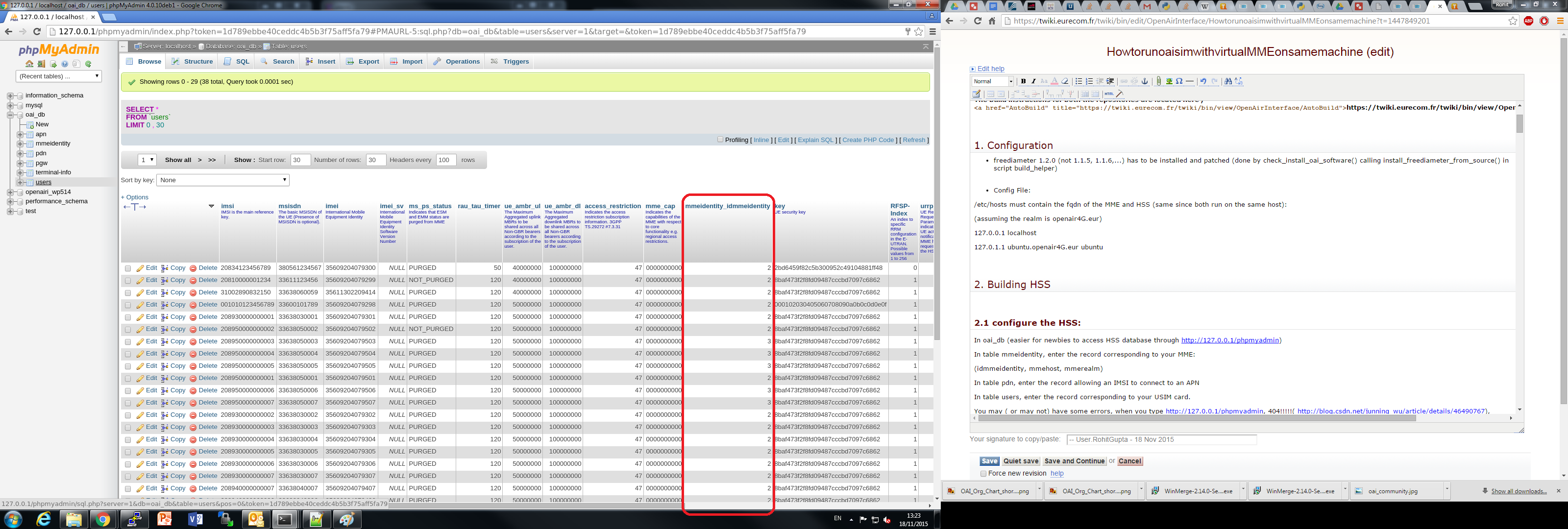
In table users, enter the record corresponding to your USIM card.
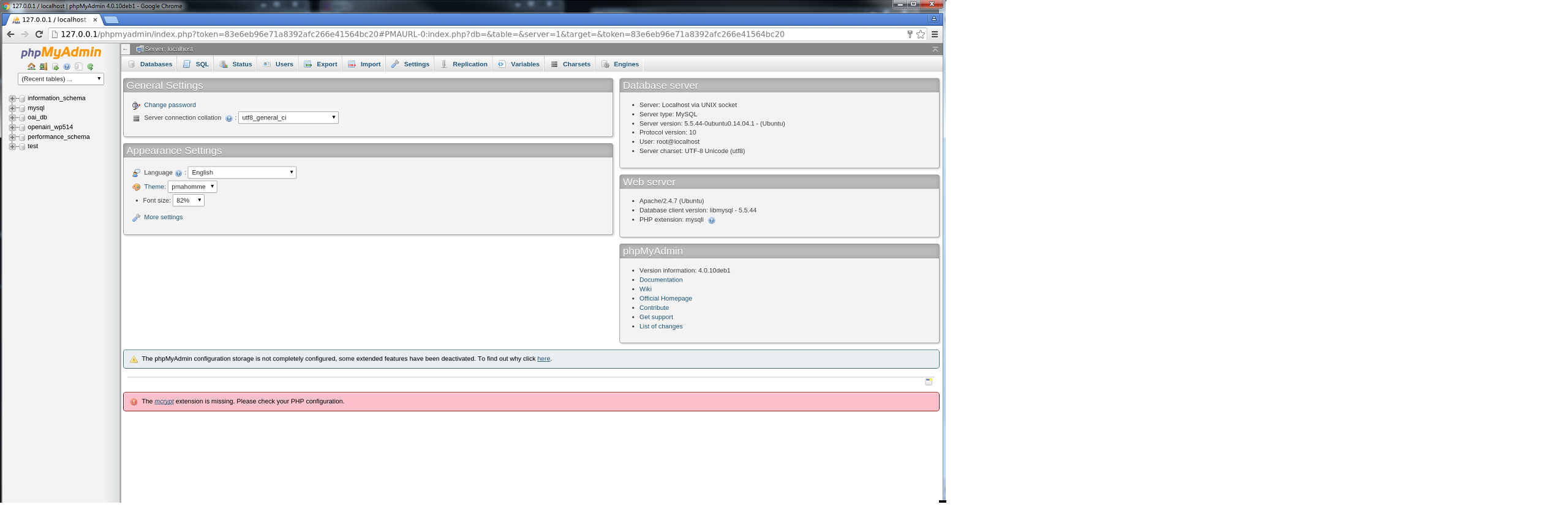
then you can config your own MME,

and add your IMEI & SIM card. Make sure mmeidentity in ALL sim cards is 2 (which is what corresponds to mmeidentity of calisson.openair4G.eur)
Also, you have to change the configure file hss.conf like this:

Or you may have some errors.
2.2 You can build HSS like this
wujn@ubuntu:~/Simulator/openair-cn/cmake_targets tools/build_hss -c -l
2.3 Run HSS
wujn@ubuntu:~/Simulator/openair-cn/SCRIPTS/run_hss -g
Now you can see in the terminal, the STATE_CLOSED. It is because the MME is still not running.

3. Building the MME-GW
3.1 Configure MME
Configuring the MME-GW:
You can configure in file openair-cn/BUILD/EPC/epc.local.enb.conf.in the following parameters:
See openair-cn/DOCS/EPC_User_Guide.pdf for EPC Documentation
MCC/MNC of your network
TAI_LIST = (
 {MCC="208" ; MNC="93"; TAC = "1"; } # YOUR PLMN CONFIG HERE
);
SGI interface (outgoing interface of the S/P-GW)
NETWORK_INTERFACES :
{
  PGW_INTERFACE_NAME_FOR_S5_S8 = "none"; # DO NOT CHANGE
  PGW_IPV4_ADDRESS_FOR_S5_S8 = "0.0.0.0/24"; # DO NOT CHANGE
  PGW_INTERFACE_NAME_FOR_SGI = "eth1"; # YOUR NETWORK CONFIG HERE (ETHERNET INTERFACE CONNECTED TO INTERNET)
  PGW_IPV4_ADDRESS_FOR_SGI = "192.168.12.82/24"; # YOUR NETWORK CONFIG HERE (IP ADDRESS OF CALISSON)
  PGW_MASQUERADE_SGI = "yes"; # YOUR NETWORK CONFIG HERE
};
Integrity algorithms, Ciphering algorithms
Please note that DNS addresses are hardcoded in source code (TODO in list).
The example config file of working setup is epc.local.enb.conf.in.
3.2 Build MME
wujn@ubuntu:~/openair-cn/SCRIPTS/build_epc -c -l
If you have installed all the required libs, you will have no error.
3.3 Run MME
Running the MME-GW:
wujn@ubuntu:~/openair-cn/SCRIPTS/run_epc -l -g
At first, you still have the STATE_CLOSED.

Later, when HSS and MME are attached, you will see OPEN state.

4. eNB and UE
eNB and UE are managed by the program oaisim. When you run
oaisim you will simulate a system with one eNB and one UE
(by default, you can simulate more than one).
4.1 Build oaisim
Use the following command.
To use the graphical scope, pass the -x option too.
wujn@ubuntu:~/openairinterface5g/cmake_targets/build_oai --oaisim
4.2 Config eNB
Please change the following parameters in configuration file enb.band7.generic.oaisim.local_mme.conf.
You only need to modify the following parameters to match the EPC configuration above.
tracking_area_code = "1";
mobile_country_code = "208";
mobile_network_code = "10";
The example config file of working setup is enb.band7.generic.oaisim.local_mme.conf.
4.3 Run eNB and UE
Now suppose you have already run the HSS and MME, and they are all waiting the eNB & UE. You can run eNB and UE like this.
wujn@ubuntu:~/openairinterface5g/cmake_targets/tools sudo -E ./run_enb_ue_virt_s1
if you have initiated the soft scope, you will see some transactions between the eNB and UE.

And in the EPC terminal , you can find 1 UE has attached.

And some message exchanges between MME and HSS.

And if you run ifconfig in a new terminal you will find there are tun2 and lo interfaces.

The example working output from oaisim if eNB/UE is successfully connected is oaisim_with_s1_working.log.
END
This page is just a beginning. Next I will learn some materials about EPC & MME, and I still expect someone may help about the Topology about the default configuration files. I think this will help lots of people like me.
If this page needs improvement, please contact openair_tech (AT) eurecom (DOT) fr requesting for access to wiki so you can update this web page.
Attachments
- 001.jpg
- 002.jpg
- 003.jpg
- 004.jpg
- 005.jpg
- 006.jpg
- 007.jpg
- 008.jpg
- 009.jpg
- 010.jpg
- 011.jpg
- 012.jpg
- enb.band7.generic.oaisim.local_mme.conf
- epc.local.enb.conf.in
- oaisim_with_s1_working.log
- phpmyadmin_main_page.png
- phpmyadmin_mme_identity.png
- phpmyadmin_users.png
- run_EPCHSSeNB_v1.docx


-- @JunningWu - 29 Jun 2015