mirror of
https://gitlab.eurecom.fr/oai/openairinterface5g.git
synced 2026-07-13 04:30:28 +00:00
1
LTE M Setup
nikaeinn edited this page 2019-05-27 16:36:51 +02:00
Basic LTE-M setup with OAI eNB
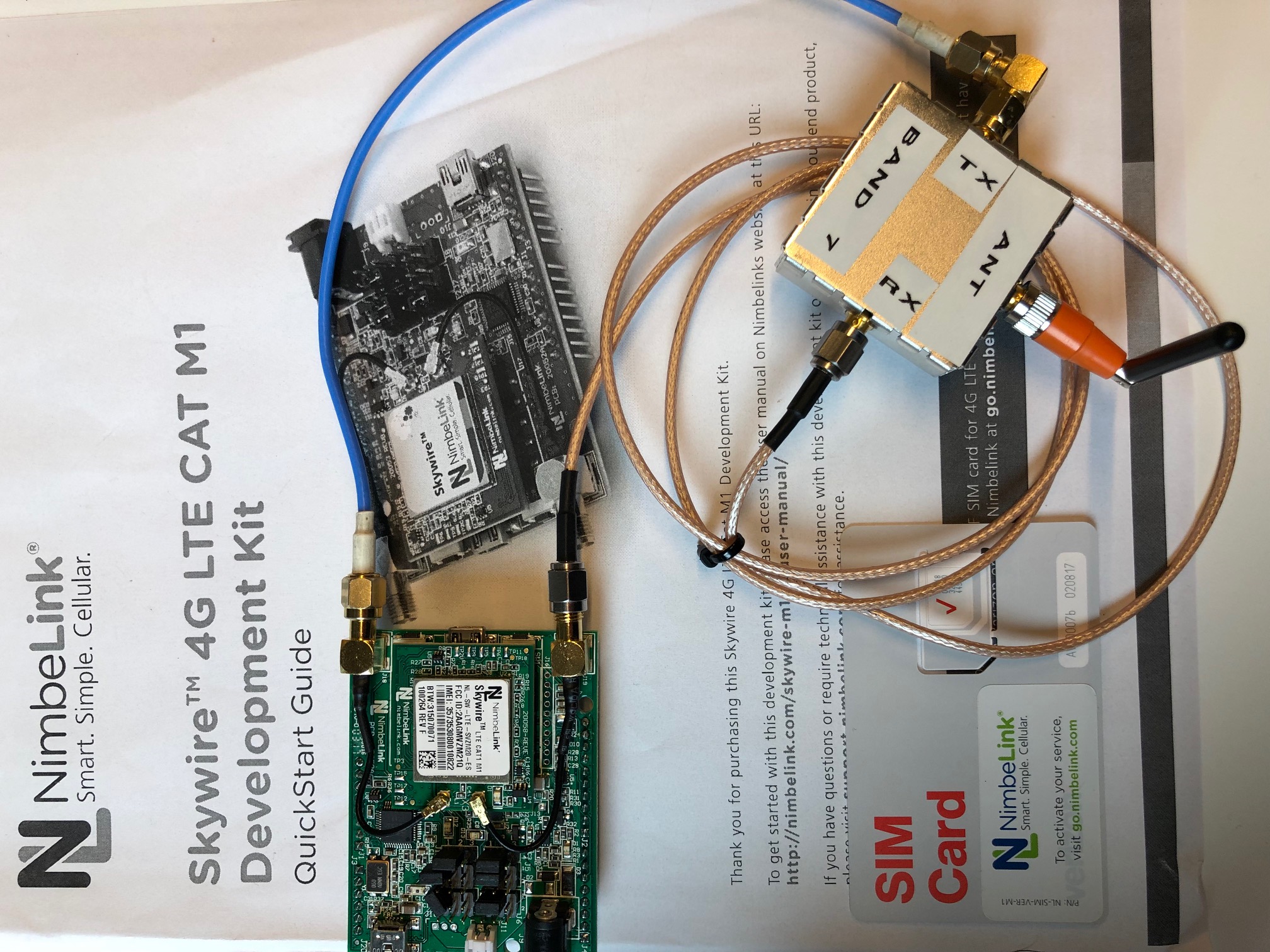
The skywire 4G LTE Cat M1 development kit is used in this setup, as shown in the figure below.
Start OAI eNB
Build and run OAI as usual, but with the following configuration file, and replace the following variables CI_MME_IP_ADDR and CI_ENB_IP_ADDR.
Start the Skywire 4G LTE Cat M1 module
Connect to the module:
$ sudo picocom --baud 921600 --flow n --databits 8 /dev/ttyUSB0
When the terminal is ready, then proceed as follows:
// Cleaning the serial port terminal pipe
AT
OK
AT
OK
// Auto-Attach enabling
AT^AUTOATT=1

// Enabling the radio
AT+CFUN=1

// Testing registration
AT+CEREG?
+CEREG: 2,1,xxx,yyy,zzz  // if attached -- otherwise 2,0 or 2,4 the attachment did not go well
Check now, that the device is connected. You may use wireshark or just check the CN traces.
Now enable the RRC measurements as follows:
AT+CESQ
CESQ: 99,99,255,255,lrsrq, rlsrp
// RSRQ = -20 + (lrsrq/2) and RSRP = -140 + lrsrp
Check the eNB traces at RRC layer.
Finally, go to the airplane mode
AT+CFUN=0
Now you may also exit the picocom.